
A practical way to separate the item, the format, the inclusions and the details that can change before you order.
The useful question is not only “What does it cost?” It is also: what exactly is included, where was the information checked, and which details depend on the store, date, ordering channel or your customisation?
Quick rule: treat a menu page as a decision aid, not a permanent promise. Use it to narrow your choice, then verify the exact item and current total through the relevant official channel.
1. Start with the menu category
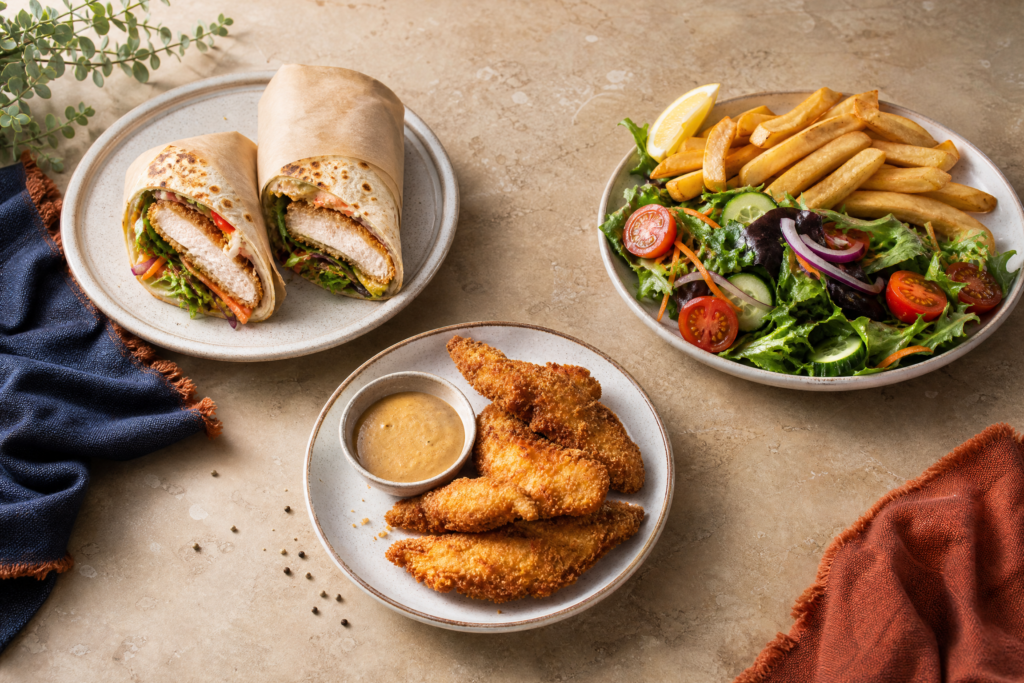
Menus often group items by format rather than by one universal list. A wrap, burger, plate, tender option, side or sauce may sit in a different section and may have different inclusions. Begin with the category that matches how you plan to eat: handheld, plated, shareable or add-on.
For a visual route, open the Menu & Prices category map and choose the section that best matches your question. It helps you move from a visual cue to the details worth checking.
2. Separate the item from the meal format
A listed item may be available on its own, as part of a meal, or with optional extras. Look for the words that describe the format, then check whether chips, salad, a drink, sauce or another side is included. This prevents a comparison between unlike combinations.
Three details to record
- Item: record the current item name rather than relying on a shortened description.
- Format: note whether it is solo, meal, share or add-on before comparing prices.
- Inclusions: confirm which sides or extras are actually included in the live listing and final basket.
3. Put the price in context
Price information can vary by store, state, date, platform fees, limited-time availability, meal format and customisation. A clear guide should show the date it was reviewed and should avoid presenting one number as a guaranteed nationwide price.
Use the Schnitz menu and prices guide for comparison questions, then confirm the exact store and ordering channel before relying on a total. The price variation notes explain why similar listings may not produce the same basket total.
4. Use nutrition and allergen pages for different decisions
Nutrition information can help with comparison, but it is not a medical conclusion. Serving size, sides, sauces and recipe changes matter. If an allergy or serious dietary requirement is involved, use the allergen information guide, check current official information and ask the store about preparation and possible cross-contact.
For broader serving context, see calories and nutrition and dietary context. These routes explain how to read information without turning a general menu description into a safety claim.
5. Apply the three-source check
Before ordering, compare the independent guide, the current official menu or store channel, and the final checkout view where relevant. If the sources disagree, the current official channel should take priority over an independent summary.
- Orient: understand the format and the question you are asking.
- Verify: open the current store or ordering listing and check the exact item.
- Review: read the final basket and ask staff when dietary details matter.
Final thoughts
Reading a menu well is less about memorising a list and more about keeping the right context together. Start with the category, separate the item from the meal format, place any price beside its store and channel, then check nutrition or allergen information through the appropriate route.
This approach keeps an independent menu guide useful while leaving current availability, ingredients and final pricing to the source that controls the order. If you notice a changed detail, send the page link and the store/date/channel context through the contact route.
FAQs
Are the prices in this article exact?
No. This article explains how to compare menu information. Prices can vary by store, date, platform, delivery, promotion, serving format and customisation, so verify the current basket total.
Does a meal automatically include every side mentioned in a description?
Not necessarily. Check the exact item listing and inclusions for the selected store and channel rather than relying on a broad category description.
Can this article decide whether an item is safe for an allergy?
No. It offers general context only. Use current official allergen information and speak directly with the relevant store about ingredients and cross-contact.
Where should I start if I want to browse categories?
Start with the Menu & Prices category map, then open the linked nutrition, allergen or category guide that matches your question.
Continue reading
Open the category-led Menu & Prices guide.
Read the calories and nutrition context.
Review allergen and cross-contact context.
Independent-site boundary: this article is original editorial guidance from Schnitz Menu Australia. It is not affiliated with the Schnitz brand, does not replace official menu or allergen information, and does not promise an allergy-safe meal or one universal price.